OpenArm Description Package
Overview
This OpenArm description package contains URDF/xacro description files for the OpenArm robot system, supporting both v1.0 and v2.0 hardware in bimanual configuration.
Table of Contents
Supported Robot Versions
| Version | arm_type values | Configuration style |
|---|---|---|
| OpenArm v1.0 | v10, v1.0, v1_0, openarm_v10, openarm_v1.0 | Per-argument (ee_type, ...) |
| OpenArm v2.0 | v20, v2.0, v2_0, openarm_v20, openarm_v2.0 | Preset-based (robot_preset) |
Both versions share the same launch file and entry point. The arm_type argument determines which hardware and xacro files are loaded.
Xacro Structure
Assets are organized per robot version under assets/robot/:
assets/
├── robot/
│   ├── openarm_v1.0/
│   │   ├── config/           # Kinematics, joint limits, inertials
│   │   ├── mesh/             # STL and DAE mesh files
│   │   └── urdf/
│   │       ├── openarm_v10.urdf.xacro   # Entry point for v1.0
│   │       ├── arm/
│   │       ├── body/
│   │       ├── ee/
│   │       └── ros2_control/
│   └── openarm_v2.0/
│       ├── config/
│       │   ├── arm/            # Joint limits, inertials, kinematics
│       │   ├── body/           # Body link parameters
│       │   └── robot_presets/  # Preset YAML files
│       ├── meshes/             # STL and DAE mesh files
│       └── urdf/
│           ├── openarm_v20.urdf.xacro   # Entry point for v2.0
│           ├── ros2_control/
│           └── utils/
└── end_effector/
    ├── parallel_link/          # Used in v1.0
    └── pinch_gripper/          # Used in v2.0
v2.0 Robot Presets
v2.0 uses a preset-based system. A single robot_preset argument selects the full robot configuration:
| Preset | Description |
|---|---|
default_bimanual | Both left and right arms (default) |
right_arm | Right arm only |
left_arm | Left arm only |
right_arm_with_pinch_gripper | Right arm with pinch gripper |
left_arm_with_pinch_gripper | Left arm with pinch gripper |
Installation
To use this package, make sure you have ROS2 installed. Then set up the workspace:
# Set up environment variables if you haven't already (customize as needed)
export ROS_DISTRO=humble  # Change to your ROS2 distro (humble, iron, jazzy, etc.)
export ROS_WS=~/ros2_ws   # Customize workspace path

# Head to the workspace
cd $ROS_WS/src

# Source your ros2 distro
source /opt/ros/$ROS_DISTRO/setup.bash

# Clone the package
git clone https://github.com/enactic/openarm_description.git

# Build the workspace
cd $ROS_WS
colcon build

# Source the workspace
source $ROS_WS/install/setup.bash
Universal Robot Description Files (URDF)
The coordinate transforms of each link and joint constraints of OpenArm are defined in the URDF. ROS2 uses an XML macro language called xacro to generate these files.
Visualization
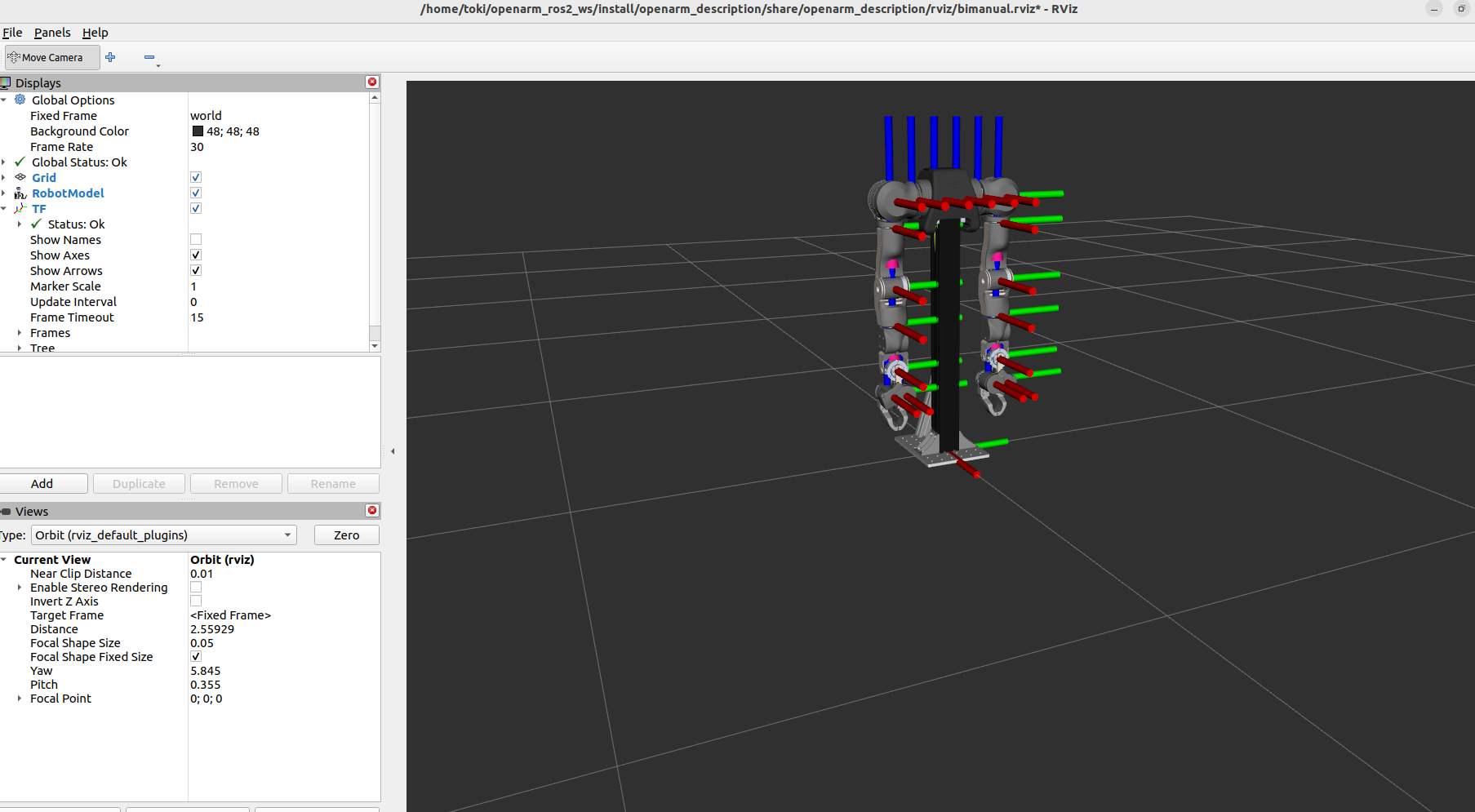
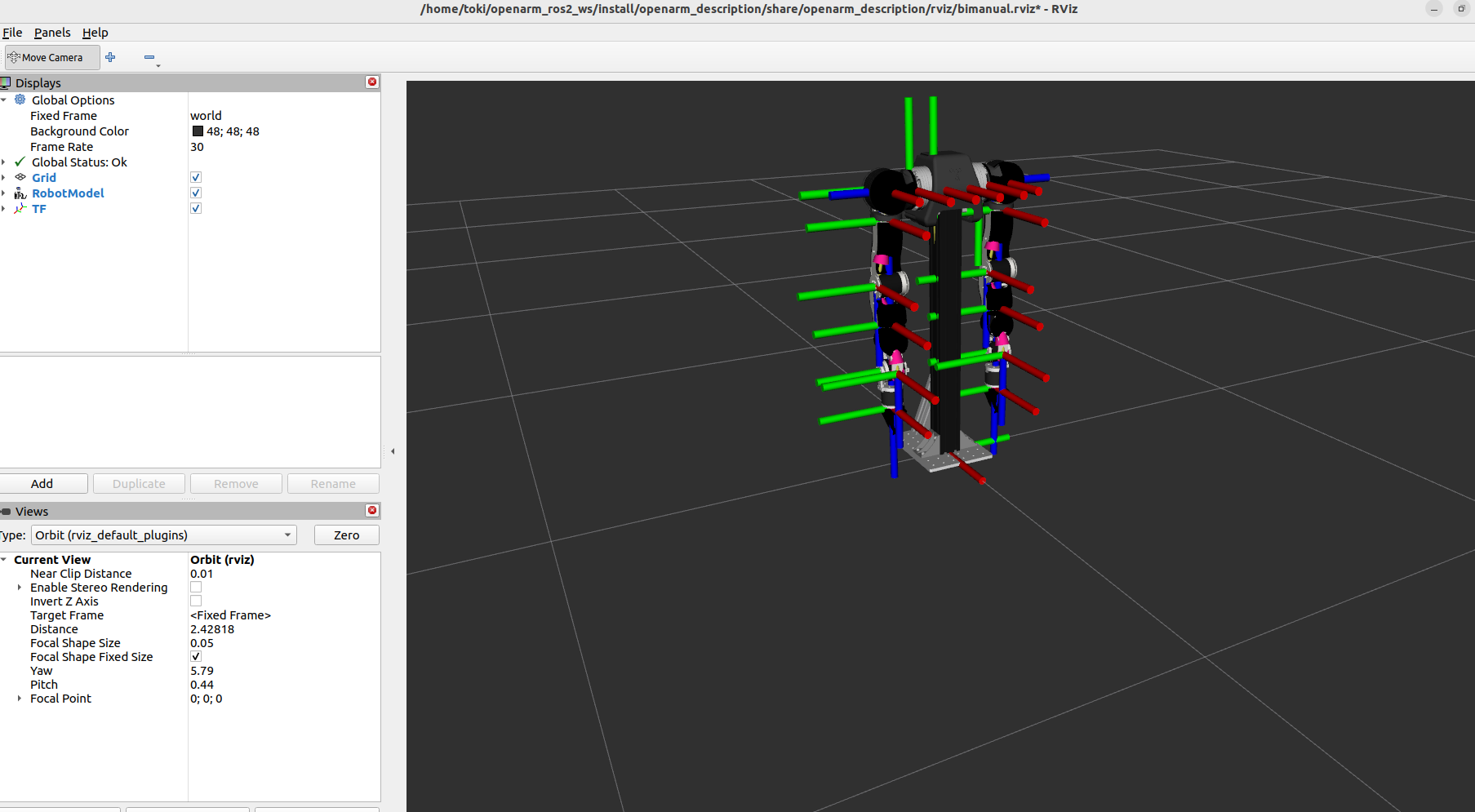
To display the robot in RViz with a simple joint state GUI:
If you're receiving errors regarding the .dae files, try changing mesh formats to .stl or .obj.
OpenArm v2.0
# Bimanual (default)
ros2 launch openarm_description display_openarm.launch.py arm_type:=v2.0

# Right arm only
ros2 launch openarm_description display_openarm.launch.py arm_type:=v2.0 robot_preset:=right_arm

# Left arm only
ros2 launch openarm_description display_openarm.launch.py arm_type:=v2.0 robot_preset:=left_arm

# Right arm with pinch gripper
ros2 launch openarm_description display_openarm.launch.py arm_type:=v2.0 robot_preset:=right_arm_with_pinch_gripper

# Left arm with pinch gripper
ros2 launch openarm_description display_openarm.launch.py arm_type:=v2.0 robot_preset:=left_arm_with_pinch_gripper

# Bimanual with grasp frame
ros2 launch openarm_description display_openarm.launch.py arm_type:=v2.0 emit_grasp_frame:=true
OpenArm v1.0
ros2 launch openarm_description display_openarm.launch.py arm_type:=v1.0
Generate URDF Files
OpenArm v2.0
# Bimanual
xacro $(ros2 pkg prefix openarm_description)/share/openarm_description/assets/robot/openarm_v2.0/urdf/openarm_v20.urdf.xacro \
  robot_preset:=default_bimanual > openarm_v20_bimanual.urdf

# Right arm only
xacro $(ros2 pkg prefix openarm_description)/share/openarm_description/assets/robot/openarm_v2.0/urdf/openarm_v20.urdf.xacro \
  robot_preset:=right_arm > openarm_v20_right_arm.urdf

# Right arm with pinch gripper
xacro $(ros2 pkg prefix openarm_description)/share/openarm_description/assets/robot/openarm_v2.0/urdf/openarm_v20.urdf.xacro \
  robot_preset:=right_arm_with_pinch_gripper > openarm_v20_right_arm_pinch.urdf
OpenArm v1.0
# Bimanual
xacro $(ros2 pkg prefix openarm_description)/share/openarm_description/assets/robot/openarm_v1.0/urdf/openarm_v10.urdf.xacro \
  arm_type:=v10 > openarm_v10_bimanual.urdf

# Bimanual with ROS2 control
xacro $(ros2 pkg prefix openarm_description)/share/openarm_description/assets/robot/openarm_v1.0/urdf/openarm_v10.urdf.xacro \
  arm_type:=v10 ros2_control:=true left_can_interface:=can1 right_can_interface:=can0 > openarm_v10_bimanual_control.urdf

# Bimanual with fake hardware for simulation
xacro $(ros2 pkg prefix openarm_description)/share/openarm_description/assets/robot/openarm_v1.0/urdf/openarm_v10.urdf.xacro \
  arm_type:=v10 ros2_control:=true use_fake_hardware:=true > openarm_v10_bimanual_sim.urdf
Available Arguments
Below are some configurable variables for the OpenArm robot description that allow customization when generating URDFs with xacro.
Common Arguments
| Argument | Default | Description |
|---|---|---|
arm_type | v20 | Robot version. See Supported Robot Versions for accepted values. |
rviz_config | bimanual.rviz | RViz config file to load |
v2.0 Arguments
| Argument | Default | Description |
|---|---|---|
robot_preset | default_bimanual | Robot configuration preset (see preset table above) |
collapse_internal_empty_links | true | Collapse empty intermediate links in the URDF |
emit_grasp_frame | false | Add a grasp frame link to the end-effector |
v1.0 Arguments
| Argument | Default | Description |
|---|---|---|
ros2_control | false | Enable ROS2 control hardware interface |
use_fake_hardware | false | Use fake hardware for simulation |
fake_sensor_commands | false | Enable fake sensor commands |
left_can_interface | can1 | CAN interface for left arm |
right_can_interface | can0 | CAN interface for right arm |
v1.0 Positioning Arguments
| Argument | Default | Description |
|---|---|---|
parent | world | Parent frame |
xyz | 0 0 0 | Position offset |
rpy | 0 0 0 | Orientation offset |
left_arm_base_xyz | 0.0 0.031 0.698 | Left arm base position |
left_arm_base_rpy | -1.5708 0 0 | Left arm base orientation |
right_arm_base_xyz | 0.0 -0.031 0.698 | Right arm base position |
right_arm_base_rpy | 1.5708 0 0 | Right arm base orientation |
Running Multiple Robots with ROS Namespaces and ROS_DOMAIN_ID
When running multiple instances of OpenArm, one option is to namespace arms to control multiple sets of arms with one device.
For example, when running multiple instances of bimanual, it is possible to namespace packages with:
ros2 launch openarm_bringup openarm.bimanual.launch.py arm_type:=v2.0 arm_prefix:=leader right_can_interface:=can0 left_can_interface:=can1
and
ros2 launch openarm_bringup openarm.bimanual.launch.py arm_type:=v2.0 arm_prefix:=follower right_can_interface:=can2 left_can_interface:=can3
If network isolation is required (e.g. multiple sets of OpenArm teleoperation), the ROS_DOMAIN_ID environment variable can be set.